
Wix vs Webflow: Which Is Better for Your Business?
 Sohaib MehmoodOwner & CEO · 10 min read
Wix is the better choice for a business that needs bookings, a store, member accounts or custom backend logic in one platform, and for teams who want the least technical overhead. Webflow is the better choice for marketing sites where design precision and clean, CMS-driven pages matter most and the "business logic" lives in other tools. Both are strong in 2026; the mistake is picking Webflow because it looks more professional or Wix because it looks easier, instead of matching the platform to what the site has to do.
Key takeaways
- Wix Studio and Webflow have converged on design: both offer true responsive control, custom CSS and animations. Webflow's Designer still gives designers tighter control over the box model and cleaner output.
- Wix has a built-in backend (Velo, Wix Data, Stores, Bookings, Members). Webflow has no backend; logic and data flows go through third-party tools.
- Webflow simplified its site plans in May 2026: Basic ($15/month billed yearly) and Premium ($25/month billed yearly) replaced the old CMS and Business tiers. Wix's paid plans start around $17/month.
- Both platforms handle SEO fundamentals well. Neither has a built-in ranking advantage.
- Choose Wix for business functions; choose Webflow for design-led marketing sites with a content team.
What each platform is
Wix (Wix Studio for agencies and designers, the Wix Editor for everyone else, Wix Harmony for AI-first building) is an all-in-one platform: hosting, editor, CMS, Stores, Bookings, Events, Members, email marketing, and the Velo coding platform for custom JavaScript on the front end and backend. If a business function exists, Wix probably has a native app for it.
Webflow is a visual development tool with a CMS and hosting. Its Designer is a visual layer over HTML and CSS: you set classes, flexbox, grid and breakpoints the way a front-end developer would, and Webflow writes clean code. Its strength is marketing sites; most teams connect it to other tools for everything beyond content.
Wix vs Webflow: side-by-side
| Wix (Wix Studio) | Webflow | |
|---|---|---|
| Pricing (site plans) | Free plan. Paid from about $17/month (Light), $29 (Core, accepts payments), $39 (Business), $159 (Business Elite) billed yearly. Check Wix's current pricing page; prices vary by region | Free Starter. Basic $15/month billed yearly ($25 monthly), no CMS. Premium $25/month billed yearly ($39 monthly) with CMS, 20,000 CMS items and 40 collections. E-commerce and Enterprise plans are priced separately; check Webflow's current pricing page. Workspace seats for collaborators cost extra |
| Design control | Breakpoints, CSS grid, custom CSS, animations, client kits. Designed to be fast for designers who do not think in CSS | Full control of the box model, classes and CSS properties. Interactions and animations are best in class. Slower to learn, more precise |
| SEO | Meta, redirects, sitemaps, structured data presets, Search Console integration, server-rendered pages | Meta, redirects, sitemaps, custom code for schema, clean semantic HTML, fast static hosting |
| E-commerce | Wix Stores: variants, subscriptions, POS, multi-channel, Wix Payments, abandoned cart. Mature | Webflow Ecommerce: works for small, design-led catalogs. Fewer native commerce features; many stores pair Webflow with Shopify instead |
| Code and extensibility | Velo: backend JavaScript, database, APIs, scheduled jobs, HTTP endpoints, npm packages. Wix Blocks, Wix Headless | Custom code embeds, Webflow API, Logic and third-party tools (Make, Zapier, Memberstack). No backend of your own |
| Content / CMS | Wix CMS with collections, dynamic pages, references; item limits scale with plan | Webflow CMS with collections, references, multi-reference; Premium plan allows 20,000 items. Editor experience is a highlight |
| Maintenance | Managed by Wix. Velo code is yours to maintain | Managed by Webflow. Third-party tools are yours to maintain |
| Business tools built in | Bookings, Events, Members, Invoices, Email marketing, Forms, Chat, Loyalty, Automations | Forms, Memberships (limited), Localization (add-on), Optimize (A/B testing, add-on) |
| Best for | Service businesses, bookings, stores, member sites, anyone who wants one platform for site plus operations | Marketing sites, SaaS and startup sites, agencies, design-driven brands, content-heavy sites with a writing team |
Pricing: read the fine print on both
Wix prices by plan, and the plan you need is set by features. Light (about $17/month billed yearly) is enough for a brochure site. Core (about $29) is the first plan that accepts payments, which matters for bookings and stores as well as e-commerce. Business (about $39) adds the standard e-commerce feature set. Apps from the App Market can add monthly costs on top. Our Wix website cost guide goes through the full picture.
Webflow changed its lineup on May 13, 2026: the CMS and Business site plans were retired and replaced with a single Premium plan at $25/month billed yearly ($39 month-to-month). Premium includes the CMS, 20,000 items and 40 collections. Basic ($15/month billed yearly) is for sites with no CMS. The part that surprises people is Workspace plans: anyone editing in the Designer beyond the free allowance needs a paid seat, and agencies pay for a Workspace separately from each client's site plan. E-commerce plans are priced separately; check Webflow's pricing page for current numbers.
For a single business site with one or two editors, the platforms cost about the same. For an agency managing many client sites, run the numbers for your situation.
Design: where Webflow earns its reputation
Webflow's Designer is the closest thing to writing CSS without writing CSS. Every element has classes, every style maps to a real property, and the output is clean HTML your developers will not be embarrassed by. For designers who understand the box model, this is faster and more precise than any drag-and-drop tool, and Webflow's interactions engine produces animation that would take real front-end work elsewhere.
Wix Studio closed most of the gap. It has breakpoints, CSS grid, flex-style stacks, custom CSS on elements, scroll and hover animations and a design system via client kits. A good designer can build a site in Studio that nobody would identify as Wix. Where Studio is still behind: fine control of generated markup, and complex interaction choreography. Where Studio is ahead: speed for designers who do not think in CSS, and a less steep learning curve for the client who will edit the site later. If you are comparing Studio to the Classic Editor rather than to Webflow, read Wix Studio vs Wix Editor.
Our view from building both: if the brief is "make it look exactly like this Figma file, down to the pixel, with these animations," Webflow is the more natural tool. If the brief is "make it look great and work with our bookings and store," Wix Studio.
SEO: a draw on fundamentals
Both platforms handle the basics well: editable titles and descriptions, clean URLs, 301 redirects, automatic sitemaps, canonical tags, image alt text, SSL and a CDN. Webflow outputs very clean HTML and hosts on fast static infrastructure. Wix renders server-side and has a structured-data presets system plus a Search Console integration from the dashboard. Neither has a built-in advantage in rankings; the site structure, page speed choices, content and links decide it. We have covered the Wix side in detail in is Wix good for SEO.
One practical difference: Webflow makes per-template custom schema easy through code embeds. Wix offers schema presets for common page types plus custom JSON-LD, with less flexibility at the template level.
E-commerce: Wix is stronger here
This is the clearest gap between the two. Wix Stores is a complete commerce system: products and variants, digital products, subscriptions, discounts, abandoned-cart recovery, shipping and tax rules, Wix Payments and third-party gateways, point of sale, and selling channels. It runs stores of real size without extra tools.
Webflow Ecommerce is design-led commerce for small catalogs. It suits a brand selling a handful of products with a beautiful storefront. It lacks the depth of Wix Stores, and many teams that start with it pair Webflow with Shopify as the store grows. If commerce is central to the business, Wix (or Shopify) is the safer choice.
Code and business logic: Wix has a backend, Webflow does not
If your site needs to do things, this decides it.
Wix ships Velo: backend JavaScript that runs on Wix's servers, a database (Wix Data) with hooks and permissions, scheduled jobs, HTTP endpoints for webhooks, secure API keys in the Secrets Manager, and npm packages. We use it for member portals, searchable directories, quote calculators, CRM syncs and custom booking flows. See Wix Velo development.
Webflow gives you custom code embeds (front-end JavaScript and CSS), the Webflow API, and native Logic for simple flows. Anything with a server component, a database beyond the CMS, or authentication beyond basic memberships goes through third-party tools: Make or Zapier for automation, Memberstack or Outseta for members, Airtable or a real backend for data. These stacks work and plenty of great sites run on them. They also mean three or four vendors, bills and places things can break.
For a marketing site, Webflow's approach is fine, even preferable: you are not paying for a backend you will not use. For a site with business functions, Wix's built-in backend is simpler to build, cheaper to run and easier to hand over.
Editing experience for your team
Webflow's Editor (the content mode for clients) is one of its best features: a writer edits CMS items and page text without being able to break the design.
Wix gives editors the full editor by default, which is both the appeal and the risk. Wix Studio's role permissions limit what collaborators can change, but a careless editor can still move things. For a client who wants to change anything, Wix is friendlier. For a client who should only touch the words, Webflow's model is safer out of the box.
When to choose Webflow
- A marketing site for a SaaS product, startup or design-led brand where the look is the point.
- A content team that publishes often and wants a clean editing experience.
- Designers who think in CSS and want precise control and clean output.
- Business logic lives elsewhere already (HubSpot, Shopify, Stripe, a product app) and the site just needs to look good and convert.
- Complex animations and interactions are part of the brief.
If that describes you, we build exactly this on Webflow, and we will not try to steer you to Wix.
When to choose Wix
- The business needs bookings, a store, members, events or invoicing, and wants them in one platform.
- Custom functionality is likely: calculators, portals, directories, integrations. Velo covers it without a tool stack.
- The owner will edit the whole site and does not want to learn CSS concepts.
- One vendor, one bill and no third-party dependencies matter more than pixel-level markup control.
- E-commerce is central.
That is the profile of most local and service businesses, and it is why most of our work is on Wix Studio.
How Wix Engine can help
We build on both platforms, so our recommendation comes from the brief, not from what we would rather sell. Bring us your site requirements and we will tell you in a free call whether it is a Wix Studio project, a Webflow project, or something else entirely, and what it will cost. If you already know you need Webflow, you can also hire a Webflow developer from our team.
FAQ
Is Webflow better than Wix?
Not in general. Webflow is better for design-led marketing sites with a content team and no need for a backend. Wix is better when the site has to run business functions: bookings, a store, members or custom logic through Velo. Both handle SEO fundamentals well and cost roughly the same for a single business site.
Is Webflow harder to learn than Wix?
Yes. Webflow's Designer works like visual CSS, so you need to understand classes, the box model, flexbox and grid to use it well. Wix Studio is easier for non-developers, and the Wix Editor easier still. That learning curve is also why Webflow sites tend to have cleaner, more consistent markup.
Which is cheaper, Wix or Webflow?
For one business site they are close. Wix paid plans start around $17/month billed yearly, with payments from about $29. Webflow's Basic plan is $15/month billed yearly and Premium (with CMS) is $25/month billed yearly, plus paid Workspace seats for additional editors. E-commerce costs more on both; check each pricing page for current figures.
Can Webflow do e-commerce as well as Wix?
Not at the same depth. Wix Stores includes subscriptions, point of sale, abandoned-cart recovery and multi-channel selling natively. Webflow Ecommerce suits small, design-led catalogs; larger stores often pair Webflow with Shopify. If selling online is central to your business, Wix or Shopify is the safer choice.
Sohaib Mehmood
Owner & CEO at Wix Engine
Wix Certified designer and developer, senior software and AI engineer with 10 years of experience.
LinkedIn ↗Keep reading
All articles → Comparisons
Wix vs WordPress in 2026: An Honest Comparison from an Agency That Builds Both
Wix vs WordPress compared by an agency that builds both: 2026 pricing, design control, SEO, e-commerce, code, maintenance and who each platform suits.
· 10 min read- Comparisons
Wix Studio vs Wix Editor: Which Should You Use in 2026?
Wix Studio vs Wix Editor compared by a Wix Legend Partner: responsive design, CMS, code, pricing and who each one is for, with a clear recommendation.
· 9 min read 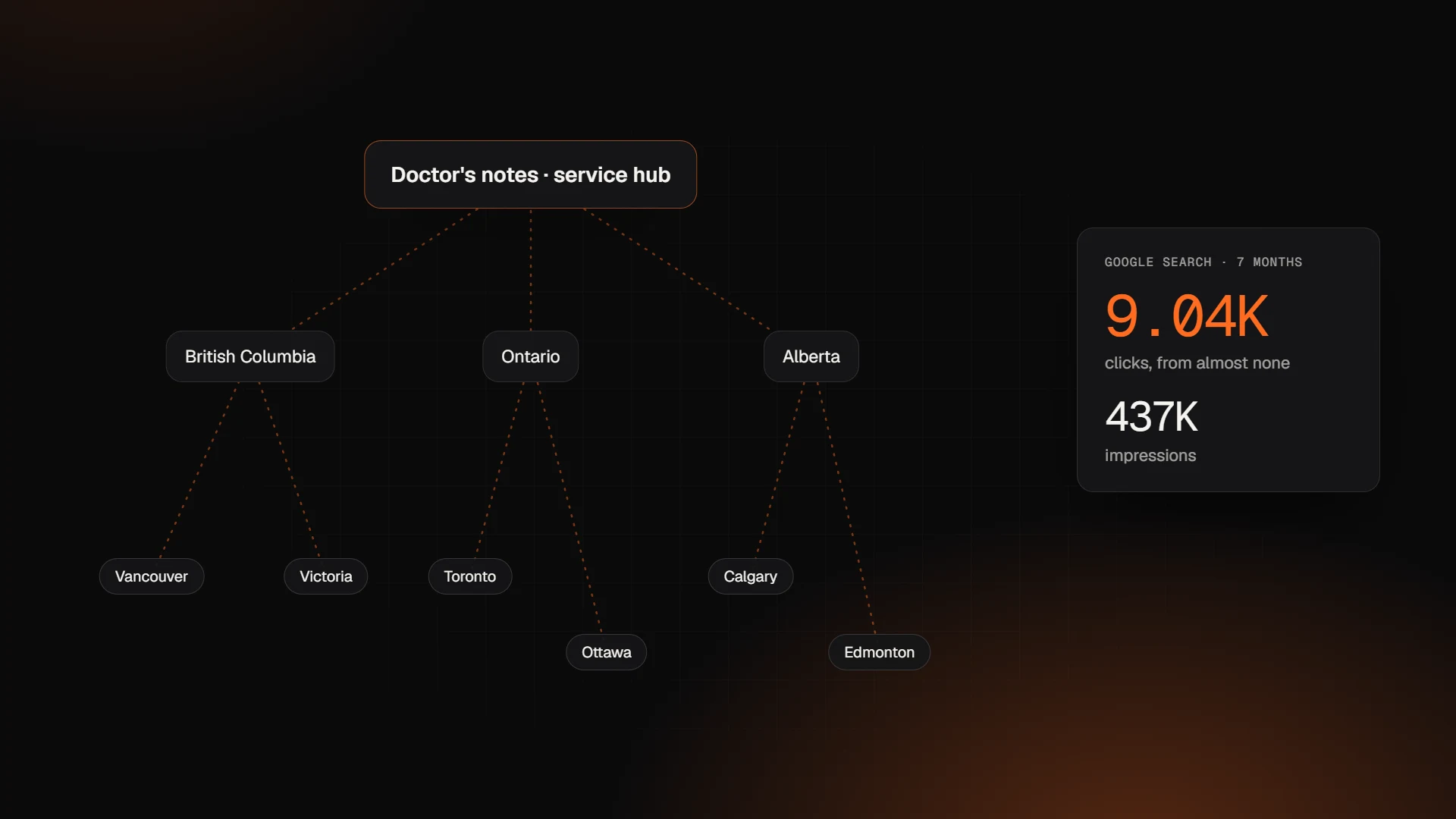 SEO & Marketing
Wix Local SEO: How to Rank in Many Cities Without Thin Location Pages
Wix local SEO case study: the province and city pages we built on Wix that took a site from almost no Google traffic to 9K+ clicks in seven months.
· 9 min read
Want an expert to look at your project?
Book a free 30-minute call with the Wix Engine team. You'll get honest advice and a detailed proposal within 24 hours.