

Google Ads for Wix: How to Run Ads for Your Wix Website (2026)
 IbtisamSEO Expert & Developer · 10 min read
There are two ways to run Google Ads for Wix websites: launch campaigns from your Wix dashboard with Google Ads with Wix, or run your own Google Ads account connected through the Google tag. The first is quicker to start. The second gives you control and your own data. Either way, conversion tracking decides whether spend becomes leads.
Key takeaways
- Google Ads with Wix creates a new account for you, runs Performance Max campaigns and bills ad spend plus a 15% Wix fee. You can't connect an existing account.
- Your own Google Ads account gives you every campaign type, full keyword control and history you keep.
- To track conversions, add one Google tag in Wix Marketing Integrations, then use Event Manager or GA4 key events.
- Wix automatically sends
generate_leadfor form submissions andpurchasefor store and booking checkouts.- For most small service businesses, Search is the safer first campaign. Performance Max works best once tracking is solid.
Two ways to run Wix Google Ads
Use Google Ads with Wix for the simplest setup on a small budget. Use your own Google Ads account for control, reporting and room to grow.
Route 1: Google Ads with Wix (inside your dashboard)
Google Ads with Wix lets you launch a campaign from your site's dashboard. A guided flow covers locations, keyword themes, ad content and budget, and Wix tracks conversions from the ads. You need a published site, a Premium plan and a connected custom domain.
The limits matter more than the setup speed:
- A new Google Ads account is created for you, and you can't connect an existing one.
- Campaigns and data can only be managed in the Wix dashboard, not in Google's interface.
- Wix's developer documentation shows these are Performance Max campaigns (including a leads variant). Creating new Smart campaigns is deprecated.
Route 2: Your own Google Ads account
Here you create an account in your business's name, build campaigns in Google Ads, and connect your Wix site for tracking. You get Search, Performance Max, Shopping and YouTube campaigns, plus full control of keywords, negatives and reports. It takes more setup, and the tracking is on you.
| Google Ads with Wix | Your own Google Ads account | |
|---|---|---|
| Campaign types | Performance Max | Search, Performance Max, Shopping, YouTube and more |
| Existing account | Can't be connected | Use it, with its history |
| Data access | Wix dashboard only | Google Ads, GA4, exports |
| Billing | Ad spend + 15% Wix fee, through Wix | Google bills you directly |
| Best for | A quick test on a small budget | Control, growth and agency support |
How Google Ads with Wix billing works
You pay Wix your ad spend plus a fee. Wix's FAQ says "Wix charges an additional 15% fee for running and optimizing your campaign," plus VAT depending on your country.
Depending on your account, you're billed one of two ways:
- Prepaid monthly subscription. One monthly amount for all your campaigns.
- Pay As You Go. Around the 9th of each month, you pay the previous month's verified spend plus the fee. The maximum average daily spend is $84 unless Wix support raises it, and these subscriptions are non-refundable.
New advertisers may get a promotional credit. Google decides who qualifies, not Wix.
With your own account, there's no platform fee. Google bills you directly. That's also how our Wix Google Ads management works: ad spend goes straight to Google with no markup, and our fee is separate.
How to connect Google Ads to Wix
To connect your own Google Ads account to Wix, add one Google tag to your site, then turn key site events into Google Ads conversions. Wix's Marketing Integrations need a paid plan and a connected domain.
Step 1: Add the Google tag in Marketing Integrations
- Copy your Google tag ID from GA4 or Google Ads. Wix accepts IDs starting with G-, AW- or GT-.
- In your Wix dashboard, open Marketing Integrations and click View under Google Tag.
- Add your Google tag ID.
- In Google, set the tag's destinations: your GA4 property and your Google Ads account.
Wix's Google tag guidance says to use only one Google tag. For Google Ads conversions, add Google Ads as a destination on the tag you already have. Still on the old Google Ads Conversions integration? Wix recommends deleting it and switching to the Google tag.
Step 2: Create conversions with Wix Event Manager
Wix's conversion tracking overview calls Event Manager the recommended starting point for Wix Google Ads conversion tracking.
- In Google Ads, create a conversion action for each goal (for example, "Contact form lead") and copy its conversion label.
- In Wix, open Marketing Integrations > Event Manager and click Scan Site.
- Click the event you want, such as a form submission, and paste the label. You can add conditions to set a conversion value.
- Tick the events, click Update Tracking and choose Google Tag.
Event Manager can also export a setup for Google Tag Manager. Wix warns that tracking the same conversion through both Wix and Google Tag Manager creates duplicates. Pick one.
Step 3 (alternative): Import GA4 key events
Prefer to manage everything in Analytics? Link GA4 to Google Ads, turn on auto-tagging, and create Google Ads conversions from key events like generate_lead and purchase, using Google's import guide. Don't also track the same action through Event Manager, or each lead counts twice.
Step 4: Test before you spend
Submit your own form, make a test booking or purchase, and confirm the conversion appears in Google Ads and GA4. Then check your cookie banner. Wix states that Google Ads only gathers data after a visitor gives consent, and Wix's built-in banner supports Google Consent Mode v2.
What Wix tracks for forms, bookings and store purchases
Once the Google tag is connected, Wix sends business events to Google Analytics without code. These matter most for ads, per Wix's event tracking list:
| Wix feature | Event to use as a conversion | Other events sent |
|---|---|---|
| Wix Forms | generate_lead (form submissions); purchase on payment forms |
— |
| Wix Bookings | purchase |
view_item, begin_checkout, a "Select Date" event |
| Wix Stores | purchase |
view_item, add_to_cart, begin_checkout |
| Mobile Quick Action Bar | generate_lead |
— |
| Form in chat | generate_lead |
— |
For a service business, generate_lead is usually the primary conversion. For a store, purchase with its value lets Google bid on revenue. If you take free bookings, make a test booking and confirm which event fires before relying on it.
Google's enhanced conversions improve accuracy by sending hashed first-party data, such as the email a visitor enters in your form. Wix lists them among its tracking options.
Performance Max vs Search campaigns for small businesses
For most small Wix businesses, start with Search. It shows text ads to people who are typing what you sell, and you choose the keywords.
Performance Max runs across YouTube, Display, Search, Discover, Gmail and Maps from one campaign. You give it conversion goals, assets (headlines, images, logos, video) and audience signals, and Google's AI decides where your ads appear. It supports negative keywords and brand exclusions, but you get less keyword-level control than in Search.
Search suits local services, B2B and lead generation. Performance Max suits online stores with a product feed and accounts with reliable conversion data, because it optimizes toward whatever you call a conversion.
Google also gives a Search campaign's exact match keywords priority over Performance Max for the same query, so the two can run side by side.
Keyword and negative keyword basics
Keywords decide which searches can trigger your ads, and match types set how close the match must be:
- Broad match (the default): ads may show on searches related to your keyword.
- Phrase match ("wedding photographer"): ads may show on searches that include the meaning of your keyword.
- Exact match ([wedding photographer austin]): ads may show on searches with the same meaning or intent. Most control, least reach.
Negative keywords block searches you don't want, such as "free", "jobs" or "DIY". Unlike normal keywords, negatives don't match close variants, so add plurals and common misspellings yourself.
A simple routine for small accounts:
- Use one ad group per service.
- Start with phrase and exact match while you learn what converts.
- Check the search terms report weekly for the first month and add negatives.
How to set a Google Ads budget on Wix
Set a daily budget that buys enough clicks for a few conversions each week, so smart bidding has data to learn from.
Google treats your daily budget as an average. A campaign can spend up to twice its daily budget on a busy day, but over a month it won't spend more than 30.4 times the daily budget. Google Ads with Wix uses the same rule.
To size it, check bid estimates for your keywords in Google's Keyword Planner, assume a conservative conversion rate, and work backward from the leads you need. If that's out of reach, narrow the targeting: fewer services, a smaller area or fewer hours.
Landing pages on Wix that convert ad clicks
Send each ad group to a page about that one service, not your homepage. Google rates landing page experience, meaning how relevant and useful the page is to people who click, as one of three Quality Score components.
Our checks before ads go live:
- Message match. The headline repeats the promise in the ad.
- One action. A short Wix Form or booking button near the top.
- Mobile. Test tap targets, form fields and click-to-call on a real phone.
- Speed. Heavy images, animations and stacked apps slow pages down. Our guide on why your Wix site is slow covers the usual fixes.
- Proof. Reviews, photos of real work, and clear starting prices.
Pages built for ads can rank too. Run them through our Wix SEO checklist as well.
Common Wix Google Ads mistakes
What we find most often in account audits:
- Double-counted conversions. Two Google tags, or the same conversion tracked in Wix and Google Tag Manager.
- Counting the wrong thing. Page views or button clicks set as primary conversions, so bidding chases cheap clicks instead of leads.
- Ads pointing to the homepage. Visitors have to hunt for the service they searched for.
- Broad match with no negatives. The budget leaks to unrelated searches.
- Auto-applied recommendations left unchecked. If auto-apply is on, Google applies some recommendations regularly. Review the history, or switch it off.
- Ignoring consent. Google Ads collects no data until a visitor consents, so a badly set-up cookie banner hides conversions from bidding.
- Outgrowing Google Ads with Wix. Its data stays in the Wix dashboard, so moving to your own account means starting fresh.
When to hire help with Wix Google Ads management
Hire help when you're spending real money and can't say what a lead costs. Other signs: Google Ads reports more leads than your inbox receives, or you've added budget without getting more leads.
If your budget is very small, a management fee can outweigh the spend. A one-time setup or audit is often the better choice.
How Wix Engine can help
We're a Wix Legend Partner with 2,000+ projects since 2014. The same team builds Wix sites and runs Google Ads, so tracking, landing pages and campaigns stay in one place. Our Wix Google Ads management starts from $300/month plus ad spend, month-to-month. Ad spend is billed by Google directly to you, with no markup, and campaigns run in an account in your business's name.
Prefer to run ads yourself? We offer a one-time account audit ($250) or setup only ($350 for the account, conversion tracking and first campaigns). See our digital marketing services for the bigger picture, and pair ads with Wix SEO so paid clicks aren't your only lead source.
FAQ
Does Wix have Google Ads built in?
Yes. Google Ads with Wix lets you launch Google campaigns from your Wix dashboard with a guided setup. It needs a published site, a Premium plan and a connected custom domain. It creates a new Google Ads account, and those campaigns can only be managed inside Wix.
How much does Google Ads with Wix cost?
You pay your ad spend plus a 15% Wix fee, and VAT where it applies. You're billed either as a prepaid monthly subscription or Pay As You Go. Pay As You Go caps average daily spend at $84 unless Wix support raises it.
Can I connect my existing Google Ads account to Wix?
Not to Google Ads with Wix. But you can connect your own account for tracking: add your Google tag in Marketing Integrations, then set up conversions with Event Manager or by importing GA4 key events.
How do I track Wix form submissions as Google Ads conversions?
Connect the Google tag in Marketing Integrations, open Event Manager and scan your site. Pick the form submission event and paste the conversion label from Google Ads. Or link GA4 to Google Ads and import the generate_lead key event. Test with a real submission first.
Should I use Performance Max or Search for my Wix site?
For most local and service businesses, start with Search. You choose the keywords and see exactly which searches cost money. Performance Max suits stores with a product feed and accounts with reliable conversion tracking.
Ibtisam
SEO Expert & Developer at Wix Engine
Runs technical SEO, AI search optimization and site audits at Wix Engine.
Keep reading
All articles →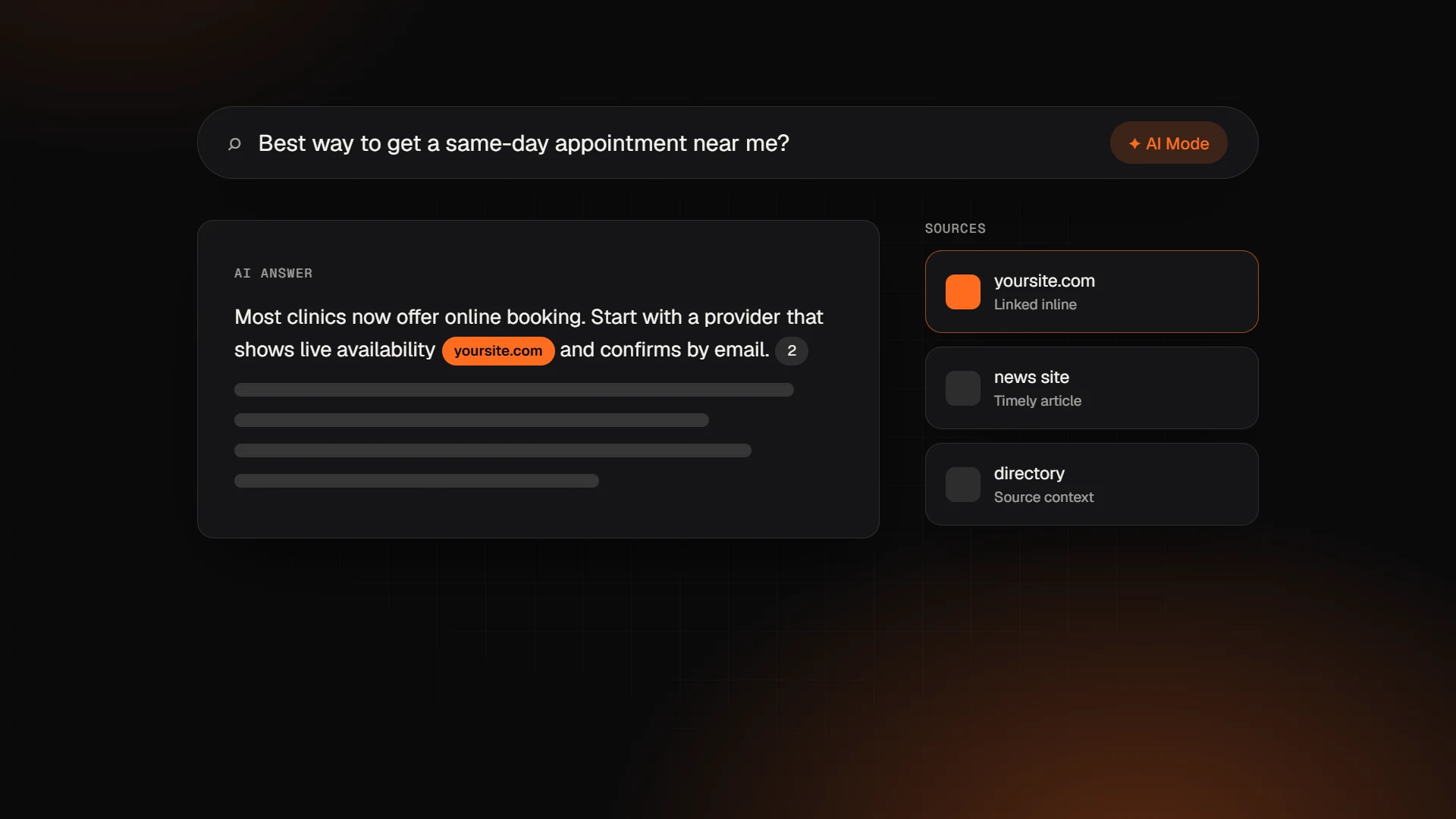 SEO & Marketing
Google AI Mode Update: What the October 2026 Changes Mean for Your Website
The October 2026 Google AI Mode update adds more inline links and a test of official-site links. What changed, what Google says, and how to get cited.
· 9 min read SEO & Marketing
Is Wix Good for SEO in 2026? An Honest Answer from a Wix Legend Partner
Is Wix good for SEO in 2026? A Wix Legend Partner explains what Wix handles well, where sites still lose rankings, and the fixes that matter most.
· 9 min read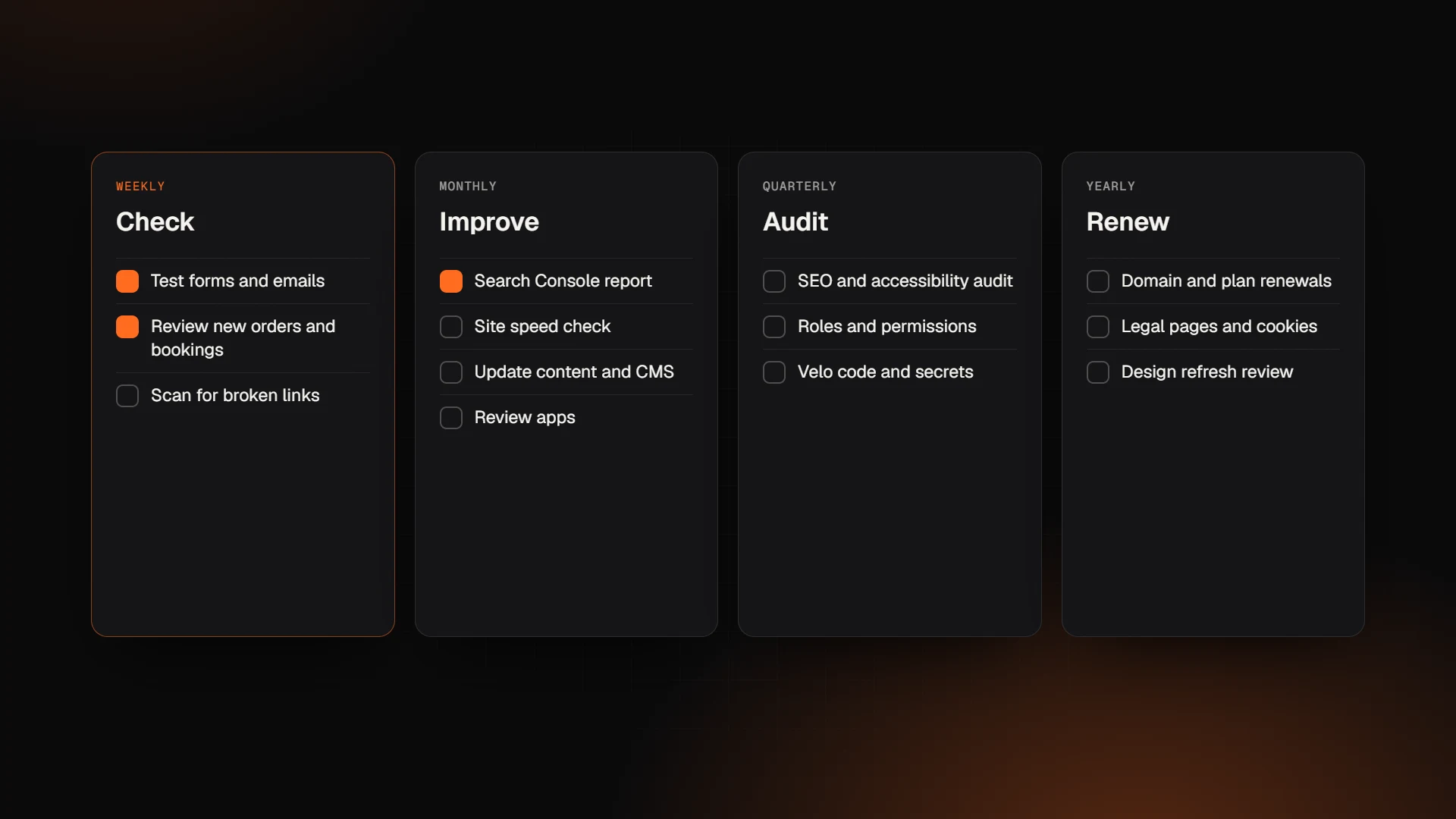 Wix
Wix Website Maintenance Checklist: What to Check and When
Wix website maintenance checklist: what Wix handles, what you still own, and the weekly, monthly, quarterly and yearly tasks that keep your site working.
· 9 min read
Want an expert to look at your project?
Book a free 30-minute call with the Wix Engine team. You'll get honest advice and a detailed proposal within 24 hours.